Stream-proof FiveM menu
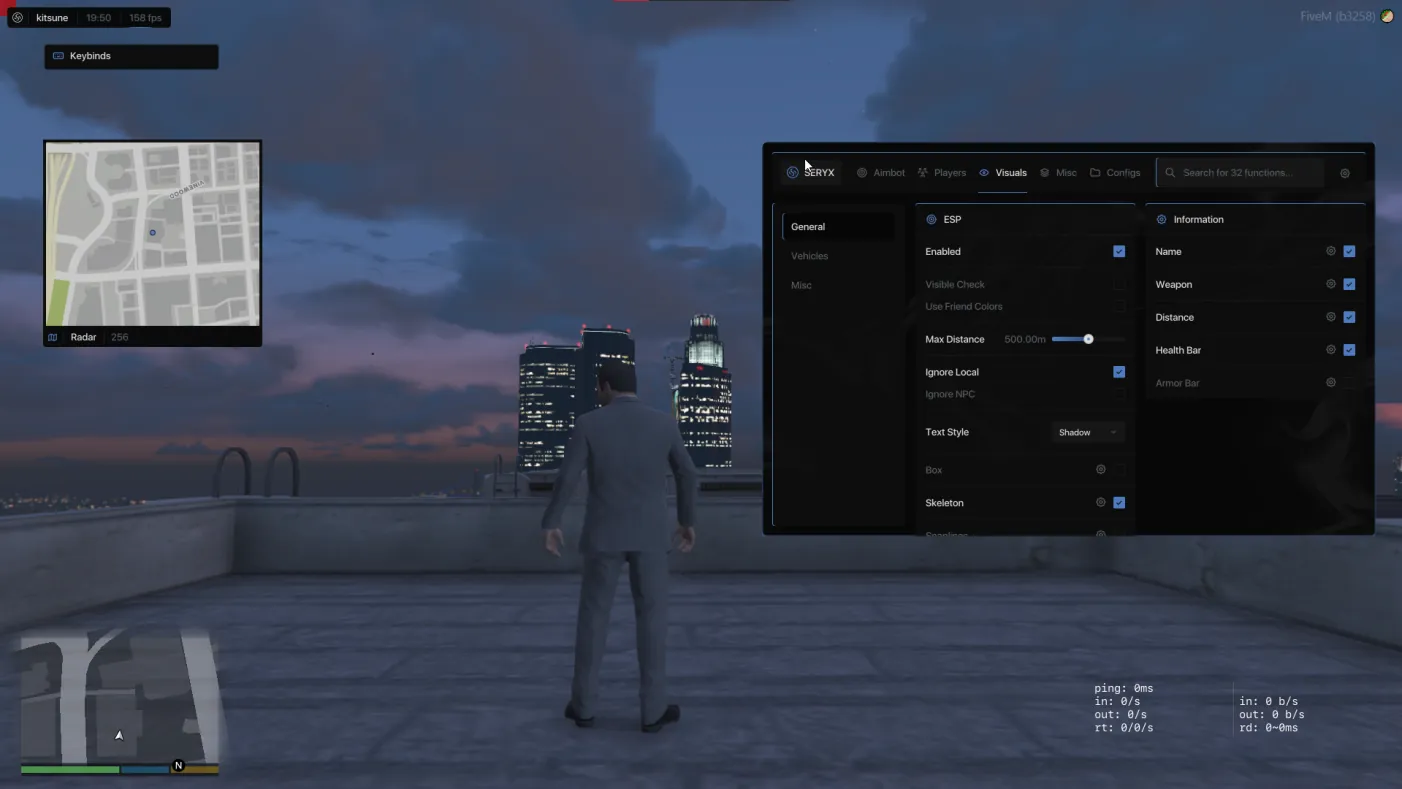
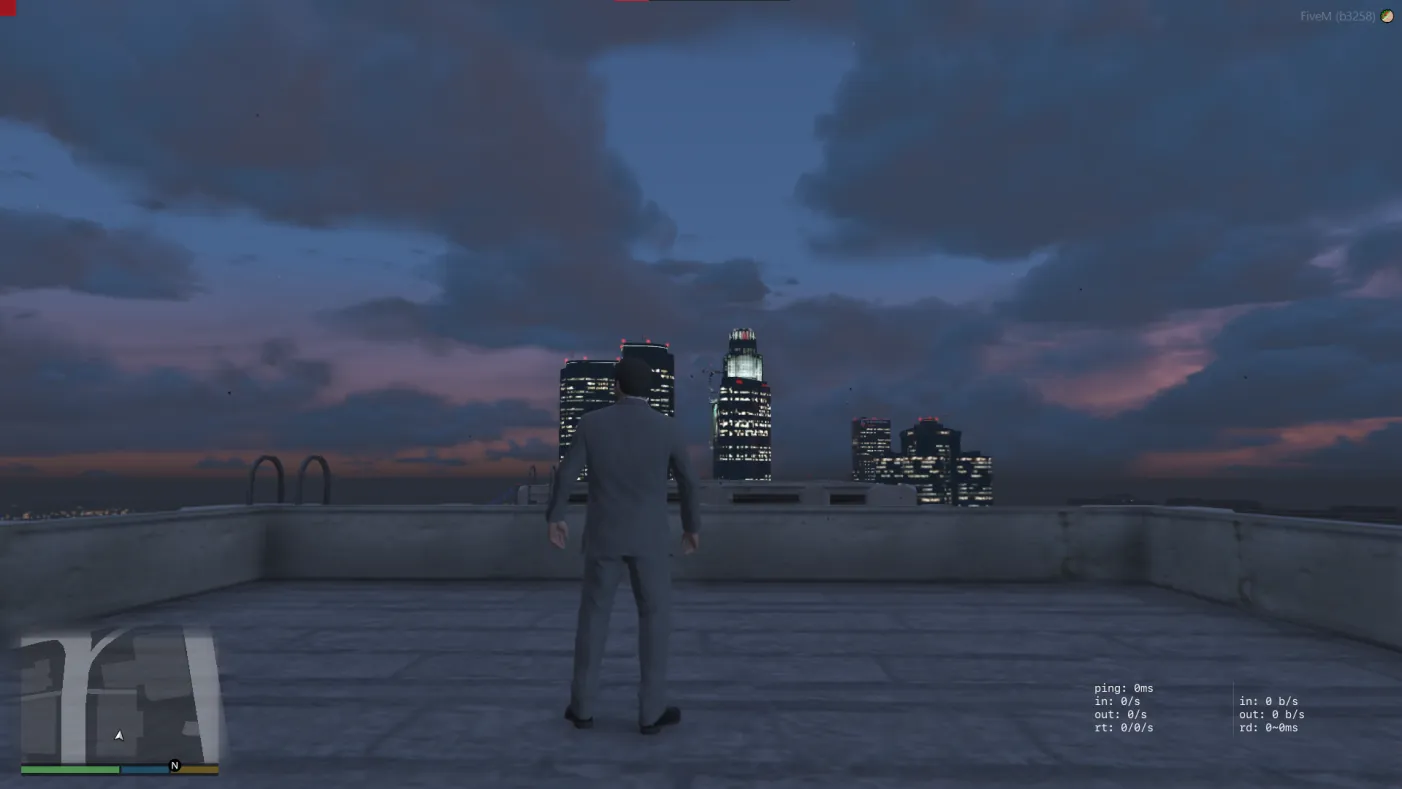
Stream proof means the menu and its visuals don't show up in screen captures. You see the overlay. OBS, Discord and your recorder see a clean game. This page covers what that includes, how to check it, and where it stops.
By the SERYX team · Updated
Included in every SERYX FiveM plan
€12 a week · €20 a month · €30 lifetime. Key emailed instantly.
What stream-proof means
Capture tools record frames: a whole display, one window, or the game itself. A stream-proof overlay is drawn in a way those tools leave out. Your monitor shows the menu, ESP, radar and FOV circle. The stream, recording or screen share shows only the game.
It matters because the most common way people get caught is showing their own menu on camera. That might be a stream, a clip posted in a server's Discord, or a screenshot of something unrelated with the overlay still in the corner.
Which capture tools it covers
The SERYX FiveM overlay is excluded from these tools. It is standard on every FiveM plan, not an add-on.
- OBS Studio and Streamlabs
- NVIDIA Shadowplay
- Medal
- Discord streams and screen share
- ShareX
- Windows Game Bar
How to check it yourself
Don't take our word for it, or anyone's. Before you go live, run a short test with the same setup you stream with.
- Start a local recording in OBS, or whatever you normally use, with your usual capture source
- Open the menu and turn on ESP or the radar
- Stop the recording and watch it back
- If any part of the overlay shows up, don't stream. Open a support ticket in Discord first
What it does not protect against
Stream proof changes how the overlay is drawn. Nothing else. It is not a ban shield.
- A phone or camera pointed at your monitor sees exactly what you see
- PC checks: when server staff inspect your PC, they look at files, running programs and history, not just your screen. Stream proof does nothing about any of that
- Server-side detection: the server sees what you do, such as impossible shots, speed or teleports. Hiding the overlay doesn't hide behaviour
- Anti-cheat screenshots: most capture the screen the same way OBS does, so the overlay is usually left out. Usually is not always
- Bans in general: the menu is currently undetected, and that status is maintained, not guaranteed
Where it fits
Stream proof matters most for ESP, because ESP is on all the time and is the feature most likely to end up in a clip by accident. It pairs with silent aim, which removes the other visual tell: a crosshair snapping to targets.
Both come with every SERYX FiveM plan.
Compared to free alternatives
More on this in free FiveM cheats vs paid.
Terms used on this page
Frequently asked questions
What does stream proof mean?
The menu and its visuals are left out of screen captures. You see the overlay; streams, recordings and screen shares show only the game.
Does stream proof work with OBS and Discord?
Yes. The SERYX FiveM overlay is excluded from OBS, Streamlabs, NVIDIA Shadowplay, Medal, Discord streams and screen share, ShareX and the Windows Game Bar. Test it with a short local recording before you go live.
Does stream proof hide the menu from a PC check?
No. A PC check looks at your files, programs and history, not only your screen. Stream proof only changes how the overlay is drawn.
Can an anti-cheat screenshot see the menu?
Most screenshot-based checks capture the screen the same way OBS does, so a stream-proof overlay is usually left out. Usually is not always, so don't treat it as a guarantee.
Is stream proof included in every SERYX FiveM plan?
Yes. It is standard, not an add-on: €12 a week, €20 a month or €30 lifetime, with the key emailed instantly.
Included in every SERYX FiveM plan
Aimbot, ESP, silent aim and a HWID spoofer, stream safe. Key emailed instantly, from €12.
See SERYX FiveMCheck before you buy: status · changelog · refund policy